Selling ebooks, templates, courses, printables, memberships, software, and other digital products lets you build income without storing inventory or shipping orders. However, the platform you choose affects more than where customers click “buy.” Fees, payment processing, tax handling, branding, customer access, and built-in traffic can all shape your results.
There’s no single best platform for every creator. This comparison looks at 10 options based on product type, cost, ease of use, built-in discovery, and how much long-term control you get over your store and audience. If you plan to promote products through a Pinterest traffic system, free traffic methods for affiliates, or a beginner-friendly affiliate niche, your platform should support that strategy.
Pricing and features can change, so confirm each platform’s current terms before opening a store. You can also watch this video comparing digital product platforms before reviewing the options below.
This post may contain affiliate links. If you make a purchase through these links, I may earn a small commission at no extra cost to you.
Key Takeaways
- Gumroad, Payhip, and Sellfy are beginner-friendly choices for selling ebooks, templates, software, memberships, and other downloads.
- Shopify, WooCommerce, and Wix provide more control over branding, checkout, customer data, and long-term store growth.
- Etsy fits visual products such as printables, templates, and digital art, while ClickBank suits affiliate-focused promotions.
- Compare transaction fees, monthly costs, payment options, tax tools, file delivery, and audience access before choosing.
- Start with a simple platform, then upgrade when your product range, traffic, and sales volume justify added complexity.
How to Compare Platforms for Selling Digital Products
Before comparing platforms, decide which features match your product, audience, and traffic source. A beginner selling a PDF through Pinterest needs a different setup from a creator selling courses, software licenses, or paid memberships.
Compare the Fees and Selling Costs
Start with the full cost of each sale, not just the advertised platform fee. Some services are free but take a percentage of every order, while others charge a monthly subscription and reduce or remove transaction fees. Payhip, for example, is commonly listed with a 5% fee on its free plan, while Shopify requires a monthly plan plus payment processing.
Also check whether payment processing, currency conversion, taxes, or payout fees apply separately. Low fees matter most when you already bring traffic through a blog, YouTube channel, Pinterest, or social media. If you have no audience, a marketplace fee may be reasonable because built-in discovery can bring potential buyers.
A 0% platform fee does not always mean 0% selling cost. Payment processing and currency conversion can still reduce your payout.
Check Product Tools and Store Control
Review whether the platform supports your product type and delivery method. Important features include:
- Product limits, file-size limits, automatic downloads, and license-key delivery.
- Subscriptions, memberships, course access, communities, and recurring payments.
- Sales tax or VAT support, invoices, refunds, and customer emails.
- Checkout quality, coupons, upsells, email marketing, analytics, and custom domains.
- Branding options and whether you can export customer information.
A marketplace such as Etsy or Creative Market gives you access to existing shoppers, but it limits branding and customer ownership. A creator storefront such as Payhip or Sellfy gives you more control over your checkout, audience, and presentation, but you must bring most of the traffic yourself.

Before committing, confirm supported payout methods, currencies, refund rules, acceptable product types, and tax requirements. These details can matter more than a small difference in headline fees.
The Best Platforms for Selling Digital Products Compared
The right platform depends on your product, audience, budget, and traffic source. A marketplace can help you get discovered, while a storefront gives you more control but requires promotion.
Payhip Is a Strong Low-Cost Choice for Beginners
Payhip supports ebooks, templates, courses, memberships, coaching products, and digital downloads. Its Free Forever plan costs $0 monthly and charges a 5% Payhip fee, plus payment processing. Plus costs $29 monthly with a 2% fee, while Pro costs $99 with no Payhip transaction fee. Sellers get a simple storefront, coupons, affiliates, email collection, and automatic delivery. However, Payhip has no Etsy-style buyer marketplace, so you must bring traffic through content, search, Pinterest, or social media.
Gumroad Makes a First Product Launch Simple
Gumroad gives you hosted product pages, checkout, file delivery, product updates, and a straightforward buying experience. It suits creators testing an ebook, guide, prompt pack, or small download. Direct sales commonly cost about 10% plus $0.50, while Discover sales may cost more. Setup is quick, but branding and store control are limited compared with an owned storefront.
Lemon Squeezy Fits Software and Global Sales
Lemon Squeezy works well for software, SaaS subscriptions, license keys, memberships, and recurring payments. Its Merchant of Record model can simplify sales tax and VAT handling for international sellers. The commonly cited fee is about 5% plus $0.50 per transaction, but confirm current terms. It may feel too specialized for basic printables or ebooks.
Etsy Brings Built-In Marketplace Traffic
Etsy fits printables, planners, digital art, invitations, templates, and fonts because shoppers already search for visual products. Listings cost $0.20, and Etsy charges a 6.5% transaction fee, plus payment processing and possible advertising costs. Strong thumbnails, useful keywords, clear file instructions, and compliance with Etsy’s digital product rules matter. Competition is high, and customer ownership is limited.
Sellfy Helps Creators Build a Branded Store
Sellfy supports downloads, subscriptions, courses, and physical products through a customizable storefront. It includes checkout, delivery, discount codes, and marketing tools. Monthly pricing may be difficult to justify with few sales, so compare the subscription against expected revenue. In return, you get more branding control than a marketplace.
Podia Combines Digital Products, Courses, and Email
Podia suits educators, coaches, and creators selling courses, downloads, webinars, memberships, or community access. Landing pages, email marketing, student access, and member management reduce the need for several separate tools. Still, its monthly subscription may not fit a new seller without revenue. Pay for Podia when its combined tools replace enough other services.
Shopify Offers Maximum Store Control
Shopify is built for serious brands that need a custom domain, advanced design, apps, analytics, and physical plus digital products. Digital delivery usually requires an app or extra setup. Monthly plans, payment processing, and app costs add up, and Shopify does not provide marketplace traffic. It is excessive for testing one inexpensive download.
Stan Store Works Well for Social Media Creators
Stan Store lets creators sell downloads, courses, coaching calls, subscriptions, and lead magnets through a social media bio link. Its mobile-first pages suit Instagram, TikTok, YouTube, and personal brands. Booking and funnel features simplify selling, but recurring costs apply. Stan converts existing traffic rather than creating much discovery.
Ko-fi Keeps Small Creator Shops Lightweight
Ko-fi combines tips, memberships, commissions, and digital products in a simple creator profile. Artists, writers, streamers, and small communities can start with little setup while maintaining a direct audience relationship. Product delivery is included, but advanced ecommerce, course, and analytics tools are limited. It works best for a small catalog.
Creative Market Puts Design Products in Front of Buyers
Creative Market focuses on fonts, graphics, photos, themes, templates, and illustrations. Category-based discovery gives approved sellers access to design-focused buyers. However, competition, quality expectations, revenue sharing, licensing rules, and limited customer ownership affect the business. Choose it for professional design assets, not general ebooks, coaching, or memberships.
## Which Digital Product Platform Is Right for Your Business?
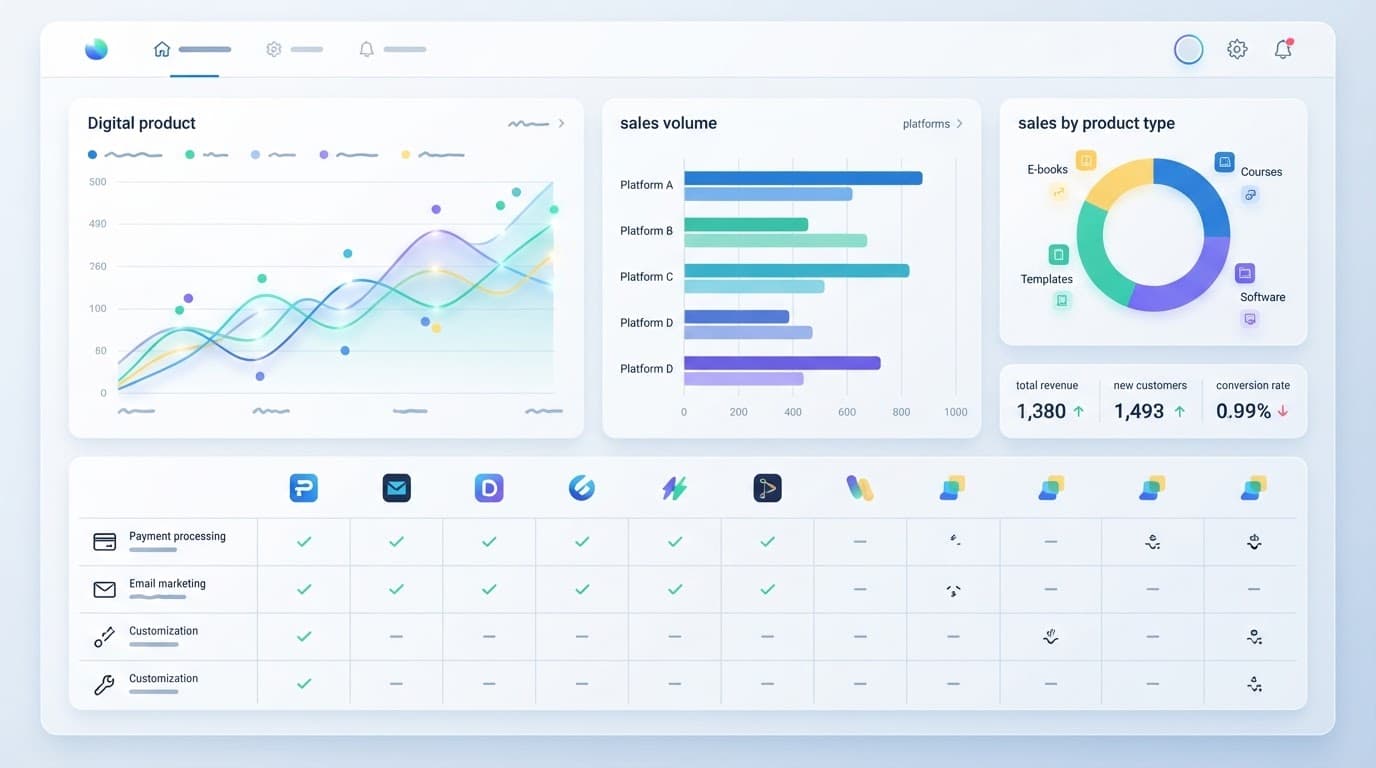
The best platform depends on what you sell, where your audience comes from, and how much control you want. A simple download business needs a different setup than a course brand or software company.
Product choice should match a clear audience and beginner-friendly affiliate niche. Once you know who you help, choosing the right platform becomes much easier.

### Use This Quick Decision Guide
Choose Payhip if you want low startup costs and a general storefront for ebooks, templates, printables, or memberships. Its free plan charges a platform fee per sale, but you avoid a monthly subscription while testing your idea.
Pick Lemon Squeezy for software, SaaS products, license keys, or international sales. Its Merchant of Record model can simplify sales tax and VAT collection, although its tools may be more than you need for a basic PDF.
Gumroad fits a fast first launch. You can publish a product page and begin selling without building a full website. The tradeoff is a higher fee on direct sales and less control over branding.
If you need built-in discovery, choose Etsy for printables, planners, invitations, and digital art. Creative Market is better for professional fonts, graphics, themes, photos, and design templates.
| Platform | Best for | Traffic source | Cost model | Main drawback |
|---|---|---|---|---|
| Payhip | General downloads and memberships | Your content and social traffic | Free plan plus transaction fee | No large buyer marketplace |
| Lemon Squeezy | Software and global sales | Product site, search, affiliates | Transaction fee per sale | Less suited to simple printables |
| Gumroad | A quick first product launch | Your audience and Discover | Higher transaction fee | Limited store customization |
| Etsy | Printables and visual products | Etsy search | Listing and transaction fees | High competition and limited customer ownership |
| Creative Market | Design assets | Marketplace discovery | Revenue share | Approval and licensing requirements |
Course creators should consider Podia because it combines courses, downloads, email, memberships, and community tools. Social media creators may prefer Stan Store, which turns a bio link into a lightweight sales page for downloads, coaching, and subscriptions.
Artists can start with Ko-fi for a small catalog or Etsy for marketplace traffic. Meanwhile, anyone building a long-term branded store should compare Shopify, WooCommerce, or Wix. These options require more setup, but they provide stronger control over design, customer relationships, and future growth.
Costs, Traffic, and Ownership: What Beginners Often Miss
A platform’s headline fee rarely shows your actual profit. You may also pay payment processing, currency conversion, refunds, chargebacks, payout fees, or advertising costs. Traffic and customer ownership matter just as much because a cheap platform cannot help much if nobody finds your product.
Calculate the Real Cost of Each Sale
Use a simple example before choosing a platform. Suppose payment processing costs 3%, and the platform takes 5% plus $0.50 per order.
| Product price | 5% platform fee | $0.50 fee | 3% processing | Cost before refunds |
|---|---|---|---|---|
| $10 | $0.50 | $0.50 | $0.30 | $1.30 |
| $25 | $1.25 | $0.50 | $0.75 | $2.50 |
| $100 | $5.00 | $0.50 | $3.00 | $8.00 |
That $0.50 fixed fee takes 5% of a $10 sale but only 0.5% of a $100 sale. A monthly subscription changes the calculation again. If your store costs $29 per month, you need three $10 sales just to cover the subscription before other fees.
International buyers may add currency conversion costs, while refunds can reverse revenue without always returning every fee. Advertising also changes the result. Spending $6 to sell a $10 product leaves little room after platform and payment charges.

### Traffic and Ownership Affect Long-Term Profit
Marketplace search on Etsy or Creative Market can expose your product to existing shoppers. However, you face heavy competition, changing search rules, listing costs, and limited access to customer information.
Your own traffic takes more effort, but it builds a stronger business asset. Pinterest and SEO can bring visitors for months, while YouTube, Instagram, and TikTok depend more on regular posting and algorithmic reach. Email traffic usually gives you more control because subscribers can hear from you without another platform deciding who sees your message.
Use several low-cost channels rather than relying on one source. You should also:
- Collect email addresses with clear permission.
- Export customer records where the platform allows it.
- Keep product files, receipts, and sales data in secure backups.
- Maintain a second sales channel before your main platform becomes essential.
A marketplace can provide your first customers, but an email list helps you reach future customers without paying to find them again.
A Simple Plan for Choosing and Launching Your First Product
Your first digital product should solve one clear problem for one specific audience. Start small, learn from real buyers, and avoid paying for a large tool stack before you have sales.
Start With a Problem, Not a Product Format
Choose a problem your audience already discusses in comments, emails, forums, or social media posts. A beginner blogger might create a Pinterest content calendar, while an affiliate marketer could sell a keyword research template.
Validate the idea before building it. Ask 10 to 15 potential buyers what they struggle with and whether they would pay for a solution. You can also use a short survey, a waitlist, or a simple sales page with an early-access offer. Strong interest matters more than compliments.
Build and Launch a Useful First Version
Create the smallest version that delivers a clear result. That could be a short ebook, a focused checklist, a Canva template pack, or a mini-course. Then choose a platform that matches your product and traffic source. Payhip or Gumroad may suit a simple download, while Podia fits courses and memberships.
Set a price based on the result your product provides and what your audience can reasonably afford. Next, write a sales page that explains the problem, promised outcome, included files, price, and refund terms. Avoid vague claims. Tell buyers exactly what they receive.
Upload the files, complete a test purchase, check the download link, and confirm payment notifications. Add a support email and clear refund policy before promoting the offer.

### Use One Channel and Track the First 30 Days
Start with one product and one traffic channel. For example, publish helpful Pinterest content that leads to your product page, instead of paying for several marketing tools at once.
Use this short launch checklist:
- Confirm the product solves a tested problem.
- Publish the sales page and connect payments.
- Test checkout, delivery, emails, and refunds.
- Promote the launch consistently through one channel.
- Reply to customer questions and record repeated requests.
During the first 30 days, track visits, conversion rate, average order value, refunds, traffic source, and customer questions. These numbers show whether you need more traffic, a clearer offer, better pricing, or product improvements.
Frequently Asked Questions
Choosing a platform becomes easier once you know how it fits your workflow after launch. These answers cover practical issues that new digital product sellers often face.

### Can I sell the same digital product on multiple platforms?
Yes, you can list the same ebook, template, or course on several platforms if each platform allows it. Use one main product page when possible, then direct traffic from marketplaces and social channels to your preferred checkout. Keep pricing, file versions, refund terms, and customer support consistent across every listing.
Do I need a business license to sell digital products?
Requirements depend on your location, business structure, product type, and revenue. You may need to register income, collect certain taxes, or follow consumer protection rules, so check your local requirements or ask a qualified tax professional before scaling sales.
Who handles sales tax and VAT on digital products?
The answer depends on the platform and your location. Merchant of Record services such as Lemon Squeezy may handle some tax collection and remittance, while other platforms may leave more responsibility with you. Read the current tax terms carefully, especially if you sell to international customers.
What happens if a customer requests a refund?
Your platform may provide refund tools, but you still need a clear policy that explains eligibility, deadlines, and excluded purchases. Respond quickly, check whether the buyer downloaded the files or accessed the course, and follow local consumer laws rather than relying only on a standard template.
Can I move my products to another platform later?
Usually, yes. Keep original product files, sales-page copy, customer records, email subscribers, and order information in secure backups. Migration becomes harder when a platform controls your customer data, so check export options before you build a large catalog.
Which payment method should beginners offer?
Offer the payment methods your audience already trusts, while keeping checkout simple. International buyers may expect cards or PayPal, whereas local customers may prefer bank transfers or mobile payment options. Confirm payout timing, supported currencies, failed-payment handling, and processing fees before publishing your store.
Conclusion
The best platform depends on what you’re selling and how buyers find you. Payhip, Gumroad, Lemon Squeezy, Etsy, Sellfy, Podia, Shopify, Stan Store, Ko-fi, and Creative Market each serve different goals, so the right choice should fit your product, budget, traffic source, and need for control.
For most beginners, Payhip is the simplest low-cost general store. Choose Lemon Squeezy for software, subscriptions, and global tax handling, or Gumroad when speed matters most. Etsy and Creative Market are better when you want marketplace discovery for printables, templates, art, fonts, or other design products. Sellfy, Podia, Shopify, Stan Store, and Ko-fi make more sense when your selling needs are more specialized.
Choose one product idea, pick the platform that matches it, and launch a small version before adding more tools. A simple offer with a clear audience is more useful than a complicated store you never finish.
This post is last updated on August 05, 2026
About The Author
