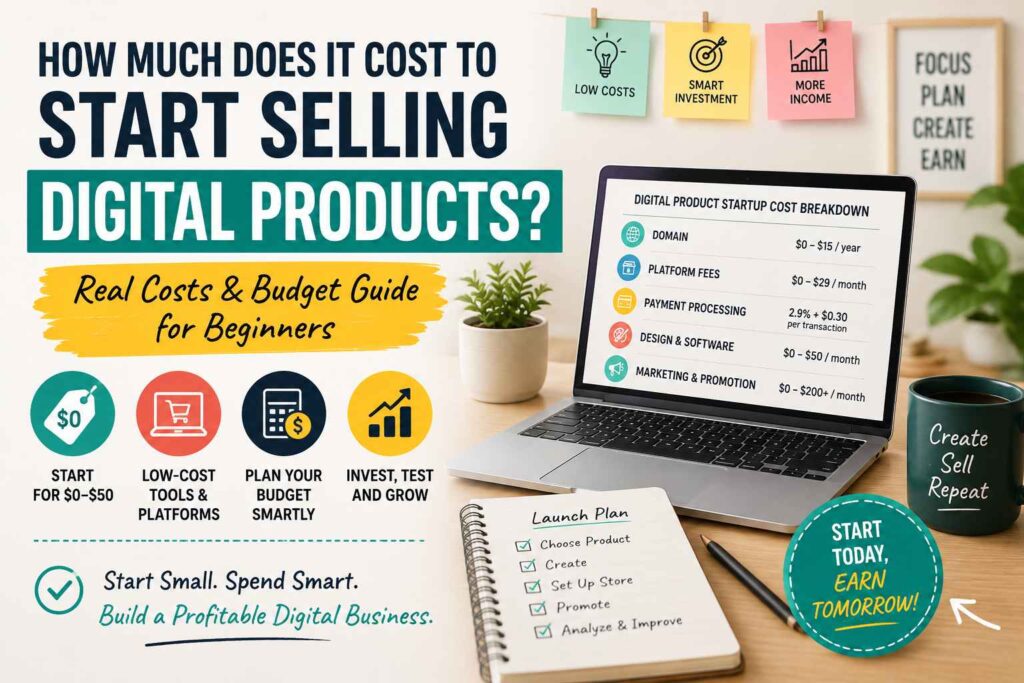
Many beginners can start selling digital products for $0 to $50 upfront, while a more polished setup may cost more. You won’t need inventory, packaging, or shipping, but you may still pay transaction fees, platform charges, a domain, design software, or marketing costs.
The total depends on what you’re selling, where customers will buy it, which tools you use, and whether you handle the work alone. An ebook or printable can cost little to create, while a course may require video equipment, editing software, and a paid hosting platform. Templates, prompts, and other downloads can also start small through a blog, Pinterest, YouTube, Instagram, or TikTok, although building an audience takes time.
This guide breaks down practical $0, low-budget, and more polished launch plans, along with realistic costs for platforms and promotion. If you need help choosing what to create, start with this beginner guide to digital products, then compare the expenses before you publish. You can also watch this digital products masterclass for another perspective before moving into the budget breakdown.
This post may contain affiliate links. If you make a purchase through these links, I may earn a small commission at no extra cost to you.
Key Takeaways
- You can start selling digital products for $0 to $50 upfront by using free creation tools and a low-cost storefront.
- Your main expenses are usually platform fees, payment processing, software, domain costs, and marketing, not inventory or shipping.
- A printable, ebook, template, or prompt pack costs less to launch than a course with video equipment and hosting.
- Start with one useful product, then reinvest early sales into better design, email marketing, or promotion.
- Explore these beginner digital product ideas before choosing what to create.
How Much Money Do You Need to Start Selling Digital Products?
You can start selling digital products with $0 to $50 upfront if you use free creation tools, a free storefront or payment link, and organic traffic. Your main investment at this stage is time, because you will create the product, write the sales page, and promote it yourself.
### A lean launch can cost $0 to $50
Free tools such as Canva, Google Docs, and spreadsheet software can help you create printables, ebooks, checklists, templates, and prompt packs. You can then sell through a free platform, payment link, or social media checkout option.
Organic promotion through Pinterest, YouTube, Instagram, TikTok, or a blog also keeps your cash costs low. However, platforms and payment processors may still deduct transaction or service fees from each sale.
This budget works best when you’re testing one simple product. For example, you could create a $7 budget planner, publish it through a free storefront, and promote it with short-form content.
A comfortable beginner budget is $50 to $250
Once you confirm that people want the product, you may spend $50 to $250 on a domain, basic design software, email marketing, branding, or small promotional tests. A custom domain can make your store look more trustworthy, while paid software can save time during product creation.
You might also test a small Pinterest or social media advertising campaign. Keep the budget controlled, and track whether visitors click, join your email list, or buy.
A polished setup can cost $500 or more
A professional website, premium software, contractors, video equipment, or paid advertising can push startup costs above $500. Courses often cost more because they may require a microphone, camera, editing tools, and paid hosting.
Validate demand before upgrading your setup. Expensive tools cannot fix a product that customers don’t want.
Prices vary by country and platform, so treat these figures as planning estimates. Start small, learn what sells, and reinvest early revenue into the expense that improves your results most. Beginners can also review using AI for digital product ideas before paying for outside help.
The Main Costs Behind a Digital Product Business
The product itself may cost almost nothing to create, but selling it can involve platform fees, payment processing, delivery, marketing, support, and taxes. Start with essential costs, then pay for upgrades only when they improve sales or save you time.
Free and low-cost tools for creating the first product
Canva’s free plan, Google Docs, and Google Sheets are enough for many first offers. You can create checklists, short guides, printable planners, templates, spreadsheets, and prompt packs without buying specialized software.
Screen recording tools and free audio or video editors can also help you test a tutorial or mini-course. However, polished video lessons take more time and may require a better microphone, camera, lighting, editing software, and course hosting. Use this digital products guide to compare formats before choosing an idea.
This post may contain affiliate links. If you make a purchase through these links, I may earn a small commission at no extra cost to you.
Storefront, payment, and delivery fees to plan for
An all-in-one platform handles the sales page, checkout, payment, file delivery, and sometimes taxes or customer emails. Payhip, for example, has a free plan with a 5% transaction fee, while payment processor fees from services such as Stripe or PayPal may apply separately.
A payment gateway such as Razorpay, Cashfree, or Instamojo may only process payments. You could need a separate website, file-delivery tool, or manual delivery process. India-focused options such as Peerseek, SuperProfile, and TagMango may fit some creators, but availability depends on your country and business setup.
Before choosing, check current pricing, payout rules, taxes, file limits, refund policies, and supported payment methods. Fees and terms can change.
When a website, domain, or email list becomes worth paying for
You can begin with a social profile, marketplace, link-in-bio store, or payment link. Later, plan roughly $10 to $30 yearly for a domain, $3 to $15 monthly for shared hosting, and $30 to $100 for a premium theme. A custom website or freelancer can cost several hundred dollars or more.
An email list often deserves priority over expensive branding because it lets you contact interested buyers again. Test simple offers from these digital products to sell before investing in a full store. Also budget for email software, customer support, refunds, marketing, and local business or tax requirements. Check those rules with your local authority.
Three Smart Starting Budgets for Different Types of Sellers
Your best starting budget depends on the product, your audience, and the biggest obstacle between you and your first sale. Begin with the smallest setup that lets you test demand, then improve it with real customer feedback.
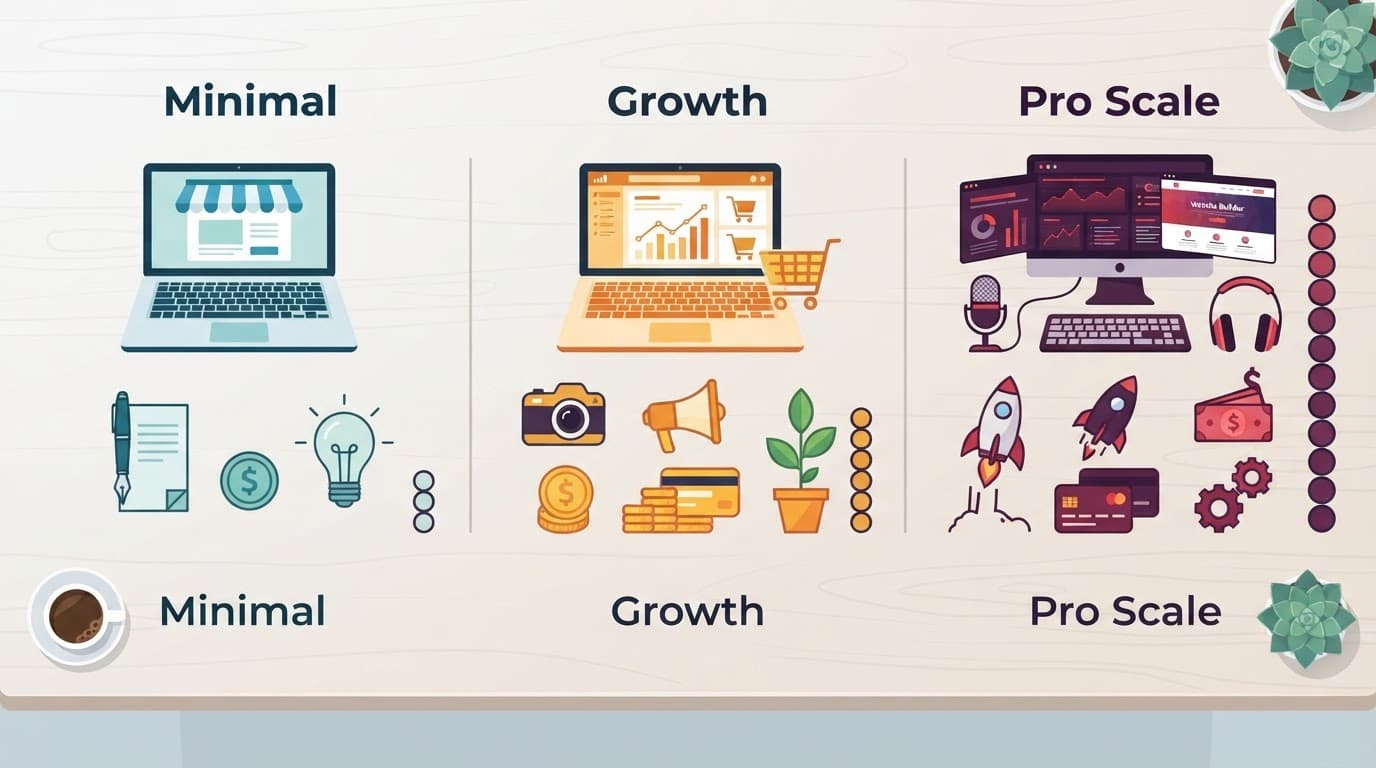
### The $0 to $50 lean launch
This plan suits beginners selling a printable, checklist, ebook, spreadsheet, template, or prompt pack. Use free tools such as Canva, Google Docs, or Google Sheets, then sell through a free storefront, payment link, or creator platform.
You can promote the product through one organic channel, such as Pinterest, TikTok, YouTube, or a blog. Handle your own sales messages, delivery questions, and refund requests. Even with zero upfront spending, transaction or payment-processing fees may come out of each sale.
Keep the launch narrow:
- Create one small product.
- Choose one clear audience.
- Focus on one traffic channel.
This product business is one possible low-overhead income path, but it isn’t guaranteed income or a guaranteed job.
The $50 to $250 beginner setup
This range adds trust and saves time without committing you to expensive monthly software. A practical budget might include:
| Expense | Sample amount |
|---|---|
| Domain | $10 to $30 |
| Email or design tool | $15 to $60 |
| Professional graphics | $25 to $75 |
| Promotion testing | $20 to $85 |
Spend first on your biggest bottleneck. If the product feels weak, improve it. If visitors hesitate at checkout, clarify the sales page. If few people see the offer, test promotion.
The $500-plus polished launch
A larger budget makes sense for a course, branded store, professional video, paid ads, or freelance editing and design. Still, higher spending doesn’t create demand. Test a waitlist, presale, beta version, or small launch before paying for major production costs. Your first sales should guide the next investment.
How to Start Selling Digital Products Without a Big Audience
You don’t need thousands of followers to sell a digital product. You need a clear solution, useful content, and a simple path that moves visitors from a problem to your offer.
Use free content to attract the right people
Choose one problem your product solves, then publish helpful content where people already search for answers. A blog post can target a specific Google search, while a YouTube tutorial can demonstrate the process. Instagram and TikTok work well for quick tips, examples, and short demonstrations.
Pinterest is also useful because users often search for ideas, solutions, and products instead of browsing only for entertainment. Use this Pinterest content system to turn one helpful article into multiple pins that continue sending visitors over time.
The path can stay simple:
- Publish a useful tutorial about one problem.
- Offer a free sample, checklist, or mini-template.
- Collect the visitor’s email address.
- Recommend a low-priced product that provides the next step.
- Ask buyers what would make the product more useful.
For example, a post about managing a tight budget could offer a free one-page spending tracker. After someone joins your email list, you can introduce a $7 budget planner with monthly pages and spending categories. The free resource builds trust, while the paid product saves the buyer time.

### Follow a simple 30-day validation plan
Use this 30-day digital product launch guide to test demand before paying for ads, premium software, or a custom website.
- Days 1 to 7: Choose one audience and one specific problem. Outline a small product that solves one clear part of it.
- Days 8 to 14: Create the product and a free sample. Set up a basic sales page and email signup.
- Days 15 to 21: Publish useful content on one primary channel. Share tips, examples, and lessons connected to the product.
- Days 22 to 30: Review clicks, saves, replies, downloads, and sales. Ask subscribers what confused them, then improve the product or sales page.
AI can reduce research, outlining, content, and customer-support time. However, making money online with AI still requires fact-checking and original value. Treat AI as an assistant, not the source of your expertise.
How to Price Your Digital Product and Recover Your Startup Cost
Your price determines how quickly you recover your launch costs. A $50 setup requires five $10 sales, while a $250 setup requires ten $25 sales, before platform fees, payment processing, refunds, discounts, and taxes.
Use this basic formula:
Break-even sales = total upfront costs ÷ net profit per sale
If you sell a $10 template and keep $9 after fees, recovering $50 takes about six sales. Include ongoing software costs too, because a monthly subscription increases the amount you need to earn.
A simple pricing ladder for first-time creators
A clear four-step ladder gives customers options without turning your funnel into a maze.
- Free sample: Offer one budget page, checklist, template, or mini-lesson. Its purpose is to show your product’s quality and build an email list.
- Entry product: Price a small template pack or beginner checklist between $5 and $15. For example, a five-page content planner could sell for $9.
- Core bundle: Combine related products into a $19 to $49 offer. A $29 bundle might include a content calendar, caption templates, and a short beginner guide.
- Premium offer: Add a mini-course, group workshop, or membership at $59 or more. This option should provide extra instruction, feedback, updates, or access.
Value-based pricing focuses on the time, clarity, or result your product provides, rather than the hours you spent making it. Add useful bonuses, such as video walkthroughs or commercial-use rights, when they improve the buyer’s outcome.
For a first launch, use limited beta pricing at 30% to 50% below your planned price. Collect feedback, fix confusing sections, then raise the price for future buyers.
Underpricing can create problems. A $3 product may attract buyers who need extensive support, yet leave little profit for customer service. Price low enough to encourage a first purchase, but high enough to cover fees, refunds, taxes, and your time. If you later add an affiliate resource list, affiliate income remains separate from direct product sales.
Common Spending Mistakes That Make Digital Products More Expensive
Many beginners don’t overspend because digital products require huge investments. They overspend by paying for tools, traffic, and production before proving that buyers want the offer. A careful launch keeps cash available for improvements that directly support sales.

Paying for too many tools too soon
Subscriptions can quietly consume a small budget. A design app, email platform, website host, course platform, AI tool, and scheduler may cost more each month than your first sales.
Start with free plans where possible. Use free trials only when you can test the tool immediately, add cancellation dates to your calendar, and cancel anything you don’t use every week. You can also compare AI tools for affiliate marketing before adding paid software to your stack.
Building before validating demand
A custom website, large course, or polished brand won’t rescue an untested idea. Create a minimum viable product first, such as a short guide, template pack, or workshop. Share it with your audience, collect questions, and improve the offer before expanding.
Copying a trending product creates the same risk. A trend may attract attention without matching your audience’s needs.
Spending on ads without tracking
Paid traffic becomes expensive when you can’t identify which campaign produces sales. Before running ads, check that your sales page, checkout, delivery email, and refund process work. Track clicks, email signups, purchases, and net revenue. Reserve part of any ad budget for testing instead of spending everything on one version.
Forgetting fees, rights, and ongoing support
Calculate platform fees, payment processing, taxes, refunds, and currency costs before setting your price. Never use images, fonts, music, or templates without confirming the license. Also plan time for customer questions, broken links, file updates, and product revisions.
Before spending, ask yourself:
- Has anyone shown interest or paid?
- Can I create a smaller version first?
- What fees and monthly costs apply?
- Can I measure the result?
- Do I have a plan for support and updates?
Track every expense in a simple spreadsheet. That record shows which costs help your business and which ones need to go.
Frequently Asked Questions
Do I need a business license to sell digital products?
Requirements depend on your country, state, and business structure. You may need to register a business, report income, collect sales tax, or follow consumer protection rules. Check with your local tax authority before launching, especially if you sell regularly or earn income from international customers.
What ongoing costs should I expect after launching?
Your recurring expenses may include a domain, website hosting, email software, platform subscriptions, payment processing, advertising, and customer support. A free storefront can keep monthly costs near zero, but transaction fees still reduce your profit on every sale. Review your subscriptions each month and cancel tools that don’t save time or generate results.
Can I sell digital products internationally?
Yes, many platforms accept buyers from different countries. However, you should check supported currencies, payment methods, payout schedules, VAT or sales tax rules, and refund requirements before choosing a platform. International sales can also create currency conversion fees, so include them when calculating your net profit.
What happens if I don’t make sales after launching?
Don’t immediately buy more software or run larger ads. Review your product topic, sales page, price, checkout process, and traffic source, then ask potential buyers what stopped them from purchasing. A smaller product or clearer offer may work better than rebuilding your entire business.
Can students sell digital products with a very small budget?
Students can start with free creation tools and products such as study planners, resume templates, Notion templates, or printable checklists. The main investment is time, so choose an idea you can create around your classes and promote through one channel. These student digital income ideas can help you compare digital products with other flexible options.
When should I upgrade to a paid platform?
Upgrade when a paid feature solves a clear problem, such as limited file delivery, poor checkout performance, email automation, or course hosting. Calculate the extra monthly cost against the sales or time savings you expect. If the platform costs $29 monthly, it should help you earn or save at least that amount.
Conclusion
Most beginners do not need a large investment to start selling digital products. A useful first product can often launch for $0 to $50 upfront when you use free creation tools, a low-cost storefront, and organic content instead of paid advertising.
Choose one audience problem, create one small product that solves it, and test the offer through a blog, Pinterest, YouTube, Instagram, or TikTok. Track views, email signups, clicks, sales, fees, and customer questions. Those results will show whether you need to improve the product, clarify the sales page, or change your promotion.
Your goal isn’t to build the most expensive store. It’s to find an offer and sales process you can repeat. Set a small budget, make the first product, publish useful content, and reinvest your first sales into better delivery, email marketing, or promotion. A lean launch gives you room to learn without risking money you can’t afford to lose.
About The Author
