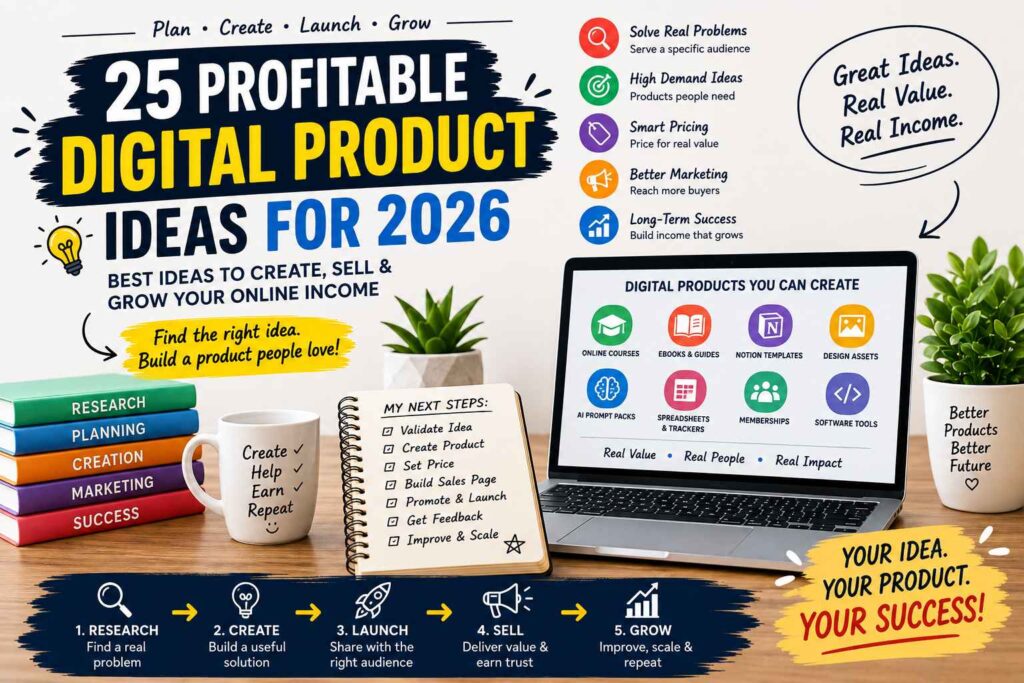
Digital products are appealing because they’re cheap to start, require no physical inventory, arrive instantly, and can sell repeatedly without new production costs. A well-made ebook, template, course, prompt pack, or software tool can become a practical way to start a digital product business without renting storage or managing shipping.
However, profitable ideas solve a clear problem for a specific audience instead of copying the latest trend. This guide introduces 25 ideas across education, templates, AI, creator assets, lifestyle, careers, and business tools, then explains how to validate demand, set a price, choose a sales platform, and improve your offer before launch.
You’ll also see why workflow-saving products, niche guides, and AI-enabled utilities are strong options for 2026, plus the first steps for turning one useful idea into a product people will pay for. Start by identifying the best opportunities in each category.
Watch a video about digital products to sell in 2026
Key Takeaways
- The most profitable digital products solve a specific problem for a defined audience, rather than copying broad trends.
- Strong 2026 ideas include AI prompt packs, online courses, Notion systems, financial trackers, design assets, memberships, and software tools.
- Templates and workflow products can sell repeatedly because customers use them to save time and organize recurring tasks.
- Validate demand before building, then match your price to the product’s depth, support, and expected result.
- You can start selling digital products with a small budget by using free creation tools and organic marketing.
25 Profitable Digital Product Ideas for 2026
The best digital product ideas balance four factors: audience demand, your expertise, production time, and opportunities for upgrades or repeat purchases. A low-ticket download may be easier to launch, while a premium course or recurring membership can earn more per customer. The first five ideas focus on education and ongoing support.

### Online Courses That Teach One Useful Outcome
Practical online courses work best when they promise one clear result. Examples include learning Canva, starting a freelance bookkeeping service, preparing for a certification exam, or improving workplace presentations.
Focused courses can outperform broad topics because buyers understand exactly what they will gain. Build lessons around demonstrations, short assignments, and a logical path from the learner’s current skill to the desired outcome. Add worksheets, quizzes, project files, and progress trackers to make the course easier to complete.
You can also support students through a private community, live question sessions, or limited feedback. Pricing may range from an affordable self-paced product to a premium program with coaching and personal support.
Short Video Mini-Courses for Busy Learners
Mini-courses suit customers who want quick progress without committing to a long program. Keep lessons around 5 to 15 minutes, and give each video one action, such as creating a profile, editing a reel, or building a spreadsheet formula.
Useful additions include transcripts, checklists, downloadable examples, and a clear finish line. A creator might teach a seven-day content workflow, while a job seeker could learn interview preparation. Small-business owners may benefit from a payment setup course, and students could follow a focused study system.
Test the idea with a small pilot before recording a large course. Watch where learners struggle, collect questions, and expand only after the first version proves useful.
Ebooks and Practical PDF Guides
A useful ebook makes a specific promise, such as helping readers plan five weekday meals, improve a resume, start a beginner business, or complete a software task.
Short guides can sell better than lengthy books when they solve one urgent problem. Increase the product’s value with real examples, worksheets, checklists, updated links, and a strong table of contents. A low-ticket PDF can also introduce buyers to a larger course, template bundle, or consultation.
Exam Prep and Study Materials
Exam prep products can include practice questions, revision schedules, flashcards, mock tests, formula sheets, and certification guides. They work best when designed for one exam, grade level, professional credential, or student type.
Check every answer carefully, respect copyright limits, and review exam changes before selling updates. Local education rules may also affect how you describe results or tutoring support.
Paid Membership Communities and Resource Libraries
A paid membership needs fresh value every month. Members might receive new templates, expert sessions, office hours, lessons, accountability, or access to a curated resource library.
Recurring revenue can make memberships attractive, but retention depends on consistent delivery and active moderation. A one-time course with a discussion group is not the same as a true membership. If you want to build a digital product side hustle, start with a small recurring offer and expand after members show what they need.
Templates and Digital Downloads That Save People Time
Ready-made systems sell because they remove repetitive work and reduce avoidable mistakes. Buyers pay for a clear starting point, especially when the product helps them finish a task faster. These ideas work as individual downloads, bundles, or customizable versions with editable formats, clear instructions, commercial-use terms, and strong preview images. Compared with physical goods, templates offer instant delivery and no shipping, as explained in this guide to digital products versus physical products.

### Resume and Job Application Template Packs
Resume packs can include modern resume layouts, matching cover letters, achievement prompts, application trackers, and interview preparation sheets. Buyers should be able to edit the files in tools they already know, such as Google Docs, Microsoft Word, Canva, or Notion.
Create versions for fields such as healthcare, technology, education, marketing, and entry-level administration. Add a short guide that shows customers how to match keywords, reorder relevant experience, and tailor each application instead of sending the same resume everywhere. You can sell one profession-specific pack or bundle several career formats.
Notion Workspaces for Specific Goals
Notion templates sell best when they provide a working system rather than attractive pages with no clear purpose. Focus each workspace on one goal, such as content planning, student notes, freelance projects, personal finance, habit tracking, or small-business operations.
Include setup instructions, realistic example data, a short tutorial, and a list of required Notion features. If the template uses databases, relations, formulas, or calendar views, explain that before purchase. A clean workspace that guides the buyer’s next action is more useful than a decorative dashboard.
Planners, Journals, and Printable Productivity Systems
Daily planners, goal journals, budget planners, wedding planners, fitness logs, and niche planning systems can attract specific audiences. Printable PDFs suit home printing, while tablet-friendly files support annotation apps. Editable planners let customers change colors, labels, or sections.
Use readable fonts, high contrast, generous writing space, and multiple paper sizes such as US Letter and A4. Show interior pages in product previews, then offer bundles with printable, tablet, and editable versions so buyers can choose how to use them.
Spreadsheet Tools for Money and Business Decisions
Useful spreadsheet products include cash-flow trackers, pricing calculators, inventory sheets, project budgets, sales dashboards, and client profitability models. Add working formulas, sample data, instructions, and protected cells that prevent accidental changes.
Test every formula with different values before selling. Also state whether the file works in Excel, Google Sheets, or both. A short tutorial can help buyers understand the inputs, outputs, and decisions the spreadsheet supports.
Swipe Files and Marketing Copy Kits
Marketing kits can contain email sequences, product descriptions, social captions, ad hooks, sales page prompts, and customer research questions. The strongest kits serve one business type, such as photographers, coaches, Etsy sellers, or local service providers.
Explain how buyers can adapt the copy to their voice, audience, and offer. Include ethical-use guidance, require original wording, and avoid copied material or misleading claims. List and deliver these products through suitable platforms for selling digital products, then use clear previews to show the kit’s structure.
AI Products and Software Tools With Room to Grow
AI products sell when they help a defined audience save time, improve their work, or simplify a complex task. Buyers need clear use cases, reliable instructions, privacy information, and realistic claims. Downloadable resources are simpler to maintain, while software requires coding, hosting, support, security, and regular updates.

### AI Prompt Packs for a Specific Profession
Generic prompts are easy to copy, so role-based prompt packs offer a stronger product. Create collections for teachers, marketers, recruiters, designers, real estate professionals, customer support teams, or freelancers.
Each prompt should explain its goal, required inputs, preferred output format, and an example result. Add editing tips that show buyers how to adjust tone, length, audience, and brand details. Tested workflows, niche examples, and regular updates make the pack more useful than a random list of prompts.
Custom GPTs and Small AI Assistants
A focused assistant can help with one recurring job, such as maintaining brand voice, planning lessons, coaching interviews, reviewing proposals, or answering customer FAQs. Define what the assistant can do, what it must refuse, and when a human should review its response.
Before selling, test it with unclear questions, incorrect inputs, and tasks that require current information. Explain how you protect private data and whether buyers need access to a paid subscription or a particular platform. Clear setup instructions reduce support requests and prevent unrealistic expectations.
Micro-SaaS Tools for One Repetitive Task
Small software products work best when they solve one painful task. Examples include generating reports, cleaning files, scheduling content, or creating estimates. A simple onboarding flow should guide users from account creation to their first useful result without unnecessary settings.
You can charge a recurring subscription or sell a one-time license. Subscriptions offer more earning potential, but hosting, support, security, bug fixes, and maintenance become your responsibility. Software can earn more than a download, yet it demands ongoing technical care.
Plugins, Add-Ons, and Browser Extensions
Improve a popular design app, ecommerce system, browser, spreadsheet program, or content management system with one focused feature. Start with a common complaint, such as repetitive formatting or a missing export option.
Research marketplace rules before building. Check compatibility, permission requirements, review standards, update obligations, and competing products. A small extension with clear value is easier to test than a large tool with many fragile features.
Automations for Freelancers and Small Businesses
Sell workflow templates for lead follow-up, client onboarding, invoices, content publishing, customer support, or appointment reminders. Your product might combine spreadsheets, no-code tools, email templates, and setup videos.
Give exact instructions, list every required software account, and show the workflow with sample data. Buyers also need guidance for handling personal and customer information safely. If you want a structured plan, use this 30-day digital product launch guide and build one workflow before adding more.
Creator Assets and Lifestyle Products People Use Often
Creator and lifestyle products can earn well when they look professional, save production time, or help buyers reach a personal goal. Choose a clear niche, use consistent design, provide practical file formats, and explain licensing terms. Bundles and seasonal updates can raise order value without requiring an entirely new product.

### Stock Photos, Video Clips, and Music Packs
Stock media is the sixteenth idea, and niche collections often beat generic files. Sell vertical video clips for Reels and Shorts, product photography, regional scenes, sound effects, music loops, background tracks, or short-form content assets for a defined audience.
Keep every file clean, properly named, and easy to search. Use descriptive titles, consistent folders, high resolution, suitable frame rates, and common formats such as MP4, WAV, JPG, and PNG. When people appear in a photo or recognizable property is shown, obtain the required model or property release.
Plain-language licensing helps buyers decide quickly. State whether they can use files for personal projects, client work, paid ads, merchandise, or unlimited commercial projects. Creators and businesses may return for new seasonal, industry-specific, or trend-focused packs, which creates room for repeat sales. Sellers who want practical digital product seller skills should treat file organization and customer support as part of the product.
Digital Art, Design Assets, and Illustration Bundles
The seventeenth idea includes icons, fonts, brushes, textures, illustrations, mockups, logos, and social graphics. A consistent visual style makes a bundle feel complete, while a clear commercial license removes guesswork.
Show the assets in real examples, such as a social post, website header, packaging mockup, or presentation slide. List software compatibility, file types, resolution, color modes, and usage limits. Buyers should know whether they receive SVG, EPS, PSD, AI, PNG, JPG, OTF, or TTF files before purchasing.
Canva Content Kits for Creators and Local Brands
The eighteenth idea is a Canva kit built around one customer type. Useful themes include coaches, restaurants, real estate agents, beauty businesses, churches, creators, and consultants.
Include posts, stories, Reels covers, presentation slides, and lead magnet pages. Add brand color instructions, editable text, image suggestions, font details, and a short tutorial. A buyer without design experience should understand how to open, customize, export, and reuse the kit within minutes.
Fitness, Meal Planning, and Wellness Systems
Wellness downloads can include workout calendars, meal planners, habit trackers, recipe collections, mobility routines, and accountability journals. Identify the intended user, such as beginners, busy parents, office workers, or people training at home.
Stay within your qualifications, avoid medical promises, and add safety notes about modifying exercises or seeking professional advice. Practical routines and simple tracking are more credible than exaggerated transformation claims.
Coloring Books and Creative Activity Downloads
The twentieth idea includes adult coloring pages, children’s activity sheets, classroom resources, puzzles, and seasonal packs. Original artwork, age-appropriate layouts, strong print quality, and themed collections can make a basic download more valuable.
Offer high-resolution PDFs with clear margins and sensible page sizes. Before listing the product, check marketplace rules and avoid copyrighted characters or trademarked brands without permission. Seasonal bundles can also bring existing buyers back for new activities.
Career and Business Products With Clear Buyer Demand
Career and business products can support higher prices because they may help buyers find work, earn money, or make better decisions. The strongest offers serve a specific audience, use current information, include real examples, and promise a measurable outcome. Update them when tools, regulations, platforms, or hiring practices change. A focused product also fits well within a global digital product business.

### Interview Scripts and Career Action Plans
The twenty-first idea is an interview preparation product for one career level or industry. Instead of generic job advice, create a pack for entry-level nurses, mid-career project managers, software engineers, or sales representatives.
Include answer frameworks for behavioral, technical, and situational questions. Add practice questions, storytelling prompts based on the STAR method, role-specific answer examples, salary negotiation notes, and follow-up email templates. A career action plan can guide buyers through researching employers, preparing examples, practicing aloud, and reviewing weak answers.
Add a self-review checklist so buyers can practice without live coaching. They can score clarity, evidence, relevance, confidence, and time management after each response. This makes the product useful for people exploring careers they can start without a degree, as well as experienced professionals changing roles.
Freelancer Proposal, Contract, and Client Onboarding Kits
The twenty-second idea is a freelancer business kit that helps independent professionals present a clear process. Combine proposal templates, discovery call questions, scopes of work, onboarding checklists, project timelines, payment instructions, and offboarding emails.
A designer, writer, virtual assistant, or web developer should be able to customize the files and guide a client through each stage. Include sample wording for revisions, deadlines, deposits, feedback, and late payments. The product reduces confusion before work begins, which can prevent avoidable disagreements.
Legal documents require care. Add a clear disclaimer stating that templates aren’t legal advice and should be reviewed by a qualified professional for the buyer’s location.
Business Launch and Marketing Playbooks
The twenty-third idea is a practical playbook for launching one business model. Create separate guides for a newsletter, service business, online store, course, or local brand.
Include a timeline, task checklists, customer research prompts, budget worksheets, launch messages, and real examples. A newsletter playbook might cover lead magnets and welcome emails, while a local brand guide could cover partnerships and opening-week promotions. Buyers gain more from concrete instructions than broad motivation.
Industry-Specific Financial and Operations Dashboards
The twenty-fourth idea is a dashboard for agencies, creators, coaches, ecommerce sellers, salons, restaurants, or consultants. Track revenue, expenses, leads, conversion rates, capacity, and customer retention in a format suited to that industry.
Design the dashboard around one decision, such as whether to hire help, raise prices, or reduce unprofitable services. Include sample data, a setup guide, simple labels, and instructions for monthly maintenance. Nontechnical buyers should understand every input and update the file without assistance.
Language Learning and Skill-Building Resource Packs
The twenty-fifth idea is a resource pack for a defined level, goal, and learner type. It might include vocabulary cards, pronunciation exercises, conversation prompts, writing feedback checklists, coding practice sheets, or professional communication guides.
Add audio, answer keys, progress tracking, and culturally accurate examples when they fit the subject. A pack for intermediate Spanish learners preparing for travel needs different exercises than one for healthcare workers preparing for workplace conversations. Clear practice goals help buyers measure progress and continue using the product.
How to Choose, Validate, Price, and Sell the Right Idea
A profitable idea should score well before you spend weeks building it. Rate each concept from 1 to 5 on audience pain, search or community demand, your expertise, speed to build, price potential, and repeat-purchase potential. Add the scores, then compare the strongest ideas instead of choosing based on excitement alone.
A niche spreadsheet that solves a frequent business problem may beat a broad ebook because it saves time and supports a higher price. Likewise, a career guide can fit a flexible income path for people exploring low-stress jobs without a degree.
Validate Demand Before You Build
Start with 10 to 15 conversations with people in your target audience. Ask what they currently use, what frustrates them, what result they want, and what they have already paid to fix the problem. Avoid asking, “Would you buy this?” People often express interest without purchasing.
Next, study five to ten competing products on Etsy, Udemy, creator stores, and relevant marketplaces. Review their prices, packaging, customer reviews, search suggestions, and repeated complaints. Those complaints can reveal a missing feature or a clearer way to serve the same audience.
Then test real interest with a waitlist, a landing page, or a free sample. The strongest evidence comes from a paid pre-sale or small beta, because payment confirms more than compliments. Deliver a limited version, collect questions, and improve the product before the full release.
A product idea is validated when a defined buyer takes a real action, preferably paying the proposed price.
Price According to Value and Buyer Type
Price the outcome, not the number of pages, videos, or files. A simple download might cost $7 to $29, while a useful bundle could sit between $29 and $99. A premium course with support may justify $100 to $500 or more, depending on the audience and expected result. Memberships need a clear monthly benefit, such as new resources, feedback, or live support.
Offer tiers when buyers have different needs. For example, sell a template alone, a bundle with tutorials, and a premium version with setup help. Keep the product page clear about what’s included, who it’s for, file formats, license terms, refund rules, and support limits.
Build a Simple First Release
Your product page should show previews, explain the buyer’s next step, and include testimonials from beta users when available. Collect email addresses with a useful sample, then send launch updates and helpful follow-up content.
Use this launch plan for your first digital product to keep the initial release focused. Follow a repeatable digital product seller workflow for delivery, customer support, updates, and refund requests.
For international sales, clarify currencies, taxes, payment methods, language, licensing, and response times. These details matter when you sell digital products globally, especially as your customer base grows.
Frequently Asked Questions
These answers address practical concerns that often come up after choosing a digital product idea. Use them to refine your offer, reduce customer confusion, and plan the work required after launch.

### Which digital product should a beginner create first?
Start with a small product that solves one problem for one type of customer. A template, checklist, short guide, or spreadsheet is usually easier to finish and improve than a full course or software tool.
Choose a topic you understand well enough to explain with examples. You can expand the first product into a bundle, course, or membership after customers reveal what they need next.
How much does it cost to start selling digital products?
You can create a basic ebook, template, or printable with free or low-cost tools, although payment processing and selling-platform fees may still apply. Your main early expenses are usually software, design assets, a domain, email marketing, and promotion.
Keep the first release simple rather than paying for every premium tool. Upgrade only when a paid feature saves time or improves delivery.
Do I need a business license or tax registration?
The answer depends on your location, business structure, revenue, and the type of product you sell. Digital sales may create tax, consumer-protection, privacy, or registration obligations, especially when you sell across state or national borders.
Check official government guidance and speak with a qualified accountant before sales grow. Keep accurate records of income, platform fees, refunds, and business expenses from the beginning.
How can I protect a digital product from unauthorized sharing?
You can’t prevent every copy, but you can reduce misuse with clear license terms, personalized delivery links, download limits, and customer accounts when appropriate. Avoid making the buying experience difficult, because excessive restrictions can frustrate legitimate customers.
Add the buyer’s name or order details to premium files when practical. If someone shares your work, request removal from the host and follow the platform’s copyright process.
How often should I update a digital product?
Update products when information, software features, laws, platforms, or customer needs change. Prompt packs, marketing guides, exam materials, and software tutorials often need more frequent reviews than evergreen journals or basic planners.
Show the last update date on the product page and tell buyers whether future updates are included. A short changelog also helps customers understand what changed.
What should I do if my product gets no sales?
First, check whether the right people are seeing the offer. Review your product title, preview images, description, audience, price, and checkout process before assuming the idea has failed.
Ask potential buyers where they became uncertain, then test one change at a time. A small audience, unclear promise, weak product preview, or missing trust signal can block sales even when the product itself is useful.
Conclusion
The most profitable digital product idea for 2026 is the one that solves a clear problem for a reachable audience and matches your skills. Niche templates, focused guides, mini-courses, AI workflow packs, and business tools are strong starting points because they help people save time, learn a skill, or make better decisions.
Choose one small product instead of building a large catalog at the start. Validate the idea with real conversations, a free sample, a waitlist, or a paid beta. Then use customer questions and feedback to improve the product, clarify the promise, create related offers later, and avoid the digital product selling mistakes that stall early sales. This approach keeps your costs manageable while showing you what buyers actually value.
Start by choosing one audience and writing a single product promise that describes the result you provide. Test demand before spending weeks building, because genuine buyer interest is more useful than a long list of untested ideas.
About The Author
